
For General and Specialty Contractors and Owner’s Reps
Construction project management, kept simple.
Plans, daily logs, time cards and change orders in one app your crew can use on day one. Then the answer most software never gets to: is this job making money?
Works in a browser on a phone, a tablet or a computer. Start with one tool today.
One place for the whole job.
A job makes paper from the first day. Plans get revised. Crews log hours. Somebody approves extra work in the parking lot. Most of it ends up in a truck, a text thread or a spreadsheet that one person understands.
Fluid CM puts it in one app with four tabs. The field opens the current plans, writes the daily log and turns in time cards from a phone. The office keeps the contracts, the change orders and the budget.
Because it is all in one place, Fluid can tell you what the paper never did: whether the job is making money.
What’s inside
Four tabs hold every tool on the job. AIM$? keeps the job on budget, and Flow ties it all together.
Everyone on the job, on the same page.
The Team tab is where the people are: who is on the job, how to reach them and what each one can see.
Tools in Team
- Team chat
- Project channels and direct messages, with search.
- Contacts
- Owners, subs, vendors, consultants and inspectors, in one list.
- Permissions
- Set what each person can see and do, tool by tool.
 Contracts
What you are owed and what you owe.
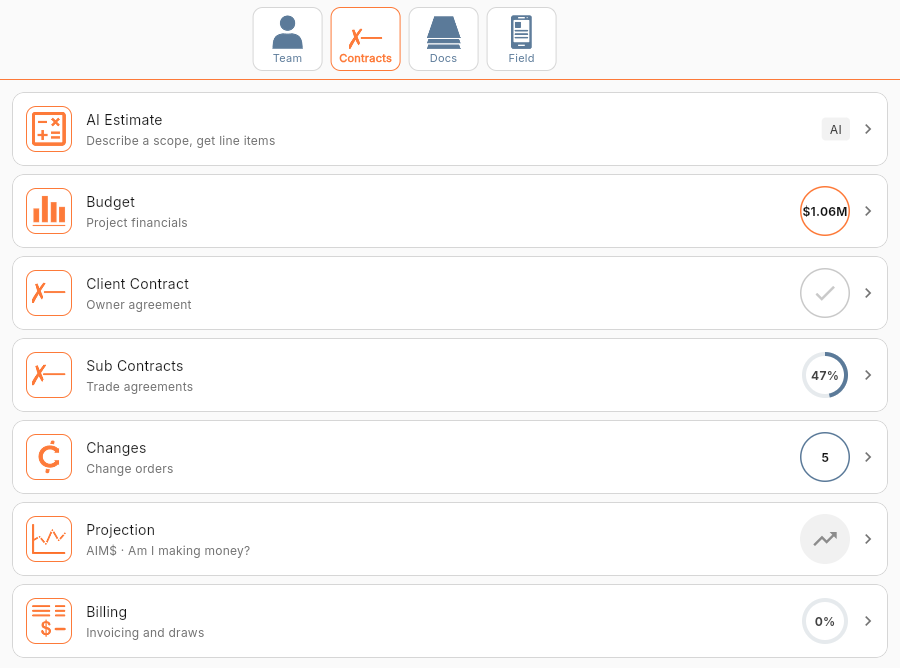
The Contracts tab holds the money side of the job, from the budget to the last pay application.
Tools in Contracts
- Budget
- Budget against actual cost, by cost code.
- Client Contract
- The owner agreement and the contract value.
- Sub Contracts
- Trade agreements and buyout status.
- Changes
- Every change order, with an amount and a status.
- Projection
- Projected final cost against the budget.
- Billing
- Pay applications to the owner, tracked to payment.
The paper trail, in order.
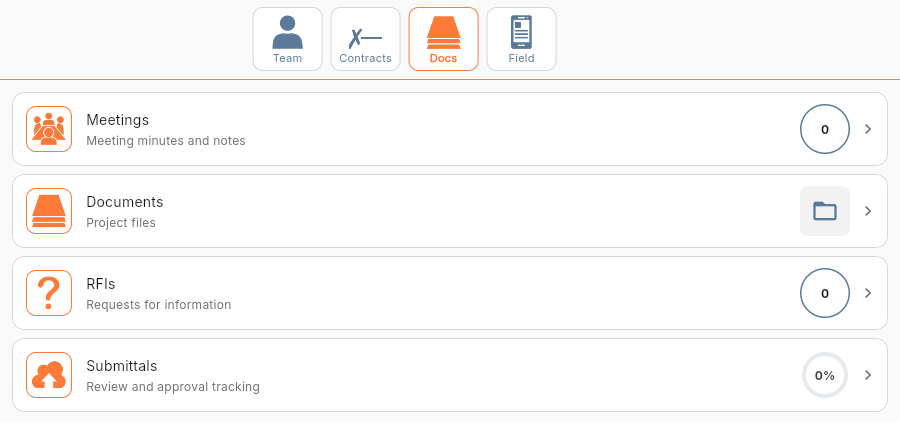
The Docs tab keeps the questions, the approvals and the files a job runs on. Nothing lives in one person's inbox.
Tools in Docs
- Meetings
- Minutes and attendees, on record.
- Documents
- Project files in folders the whole team can reach.
- RFIs
- Questions to the design team, with the answer on record.
- Submittals
- Shop drawings and product data, routed for approval.
What the crew uses on site.
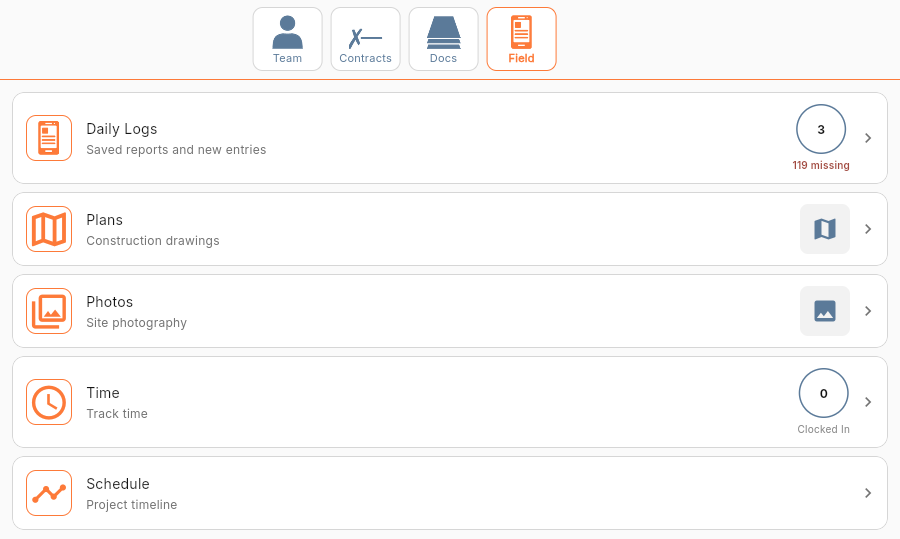
The Field tab is made for a phone in one hand. It is the easiest place to start.
Tools in Field
- Daily Logs
- Weather, crew, work done and photos. Type it or say it.
- Plans
- The current drawings, with markup, measuring and revision compare.
- Photos
- Site photos with date and time, shared with the team.
- Punch List
- Open items, assigned and tracked to close-out.
- Time
- Clock in from a phone or a shared tablet, by cost code.
- Schedule
- The project timeline as a Gantt chart.
The Plans sheet list on the sample job. Four sheets are shown, each with its sheet number, title, discipline and version.
 AIM$?
The process that keeps the job on budget.
AIM$? stands for "Am I making money?" It is five steps, in the order a job already runs. Follow them and the answer is on the screen.
The five steps
- Lock the budget
- Cost codes and amounts, fixed as the baseline.
- Sign the contracts
- The client contract sets what you get paid.
- Buy out the subs
- Each subcontract commits a piece of the budget.
- Track the changes
- Every change, approved or not, with a dollar amount.
- See the projection
- Projected final cost and margin, month by month.
Coupled with Flow, our built-in AI agent (powered by Claude), you and your team always have a solid grasp of your project financials.
See AIM$?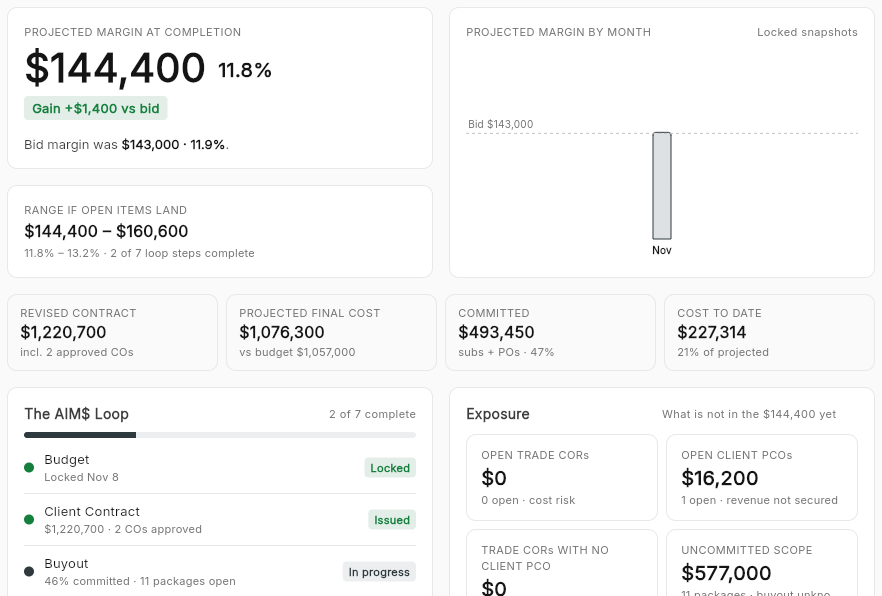
 Flow
Flow brings the magic. It ties it all together.
Flow is the AI agent inside Fluid CM, powered by Claude. It is on every screen, it knows which job you are in, and it answers in plain English.
What Flow does
- Answers
- Ask about the job. Flow answers from your own records and shows the source.
- Drafts
- Flow writes the first draft, such as an RFI from a pin on the plans.
- Summaries
- A long log or a month of numbers, in a few lines.
- Help
- Ask how a tool works and Flow walks you through it.
How much change order work is done but not approved on Elm Street?
$31,200 across four open trade change requests. $14,800 of that has no client change order behind it, so today it comes out of your margin.
Start simple. Start free.
You don’t have to load a whole job to begin. Start with the tool your crew needs this week. Time cards, daily logs and the change order log are free, and all three feed the money answer.

Daily Log
FreeWhat happened on site, written down the day it happened. Type it or say it out loud.
Time Card
FreeCrew hours by job and cost code. Labor cost shows up while you can still do something about it.

Change Orders
FreeOne log for every change, with a dollar amount and a status. Work that is done but not approved stops hiding.
Built by a Builder
The team at Nimble Development has managed hundreds of millions of dollars in projects, working alongside the best in the industry. That experience is what built Fluid CM.
Fluid CM was created to keep everything simple and help projects flow.
Pricing
Time cards, daily logs, photos, contracts and the change order log are free. A paid plan adds the rest of the job: plans, the budget, billing and the money answer.
Free
$0
The field tools, contracts and the change order log.
- Time cards and daily logs
- Voice entry for daily logs
- Site photos
- Client contract and subcontracts
- Change order log
- Flow inside each tool
Paid
Talk to us
The whole job, and the money answer.
- Everything in Free
- Plans, punch list and schedule
- RFIs, submittals, meetings and documents
- Budget and billing
- AIM$ and the projection
- Flow across all your company data
- Flow Coaching: an onboarding session and a monthly group office hour
Guided Pilot
Fixed fee
One live job, loaded for you. 60 to 90 days.
- Everything in Paid
- We load one of your live jobs
- A monthly exposure review
- One-on-one Flow Coaching for your team